
Employee records
One profile per person with personal, job, pay, emergency contacts, documents and assets.
- Job, status and pay history by effective date
- Custom fields, custom tables and calculated fields
- Org chart, directory and change requests
CloverHR keeps everything about your people in one place: records, time off, timesheets, hiring, onboarding, benefits, pay, performance and reports. It runs on your own server, and you can deploy it free on StackBlaze in one click.
No credit card. A setup wizard creates your account on first visit.
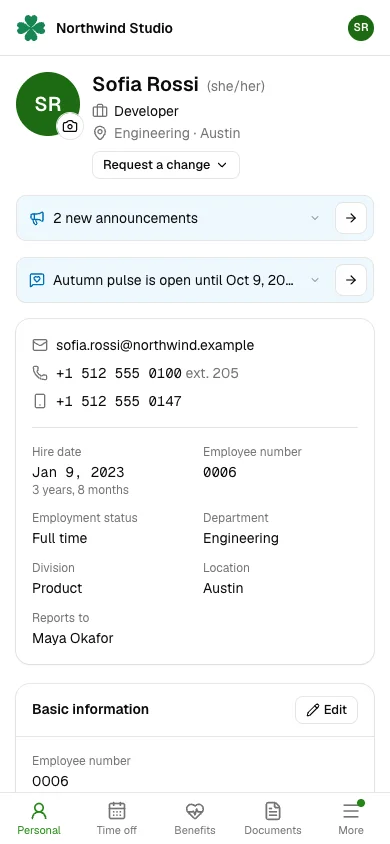
CloverHR is built around people. Each person's profile holds everything about them, changes are dated and kept, and requests are sent, then approved or denied. A new workspace works on day one; settings only change the defaults.
One profile per person with personal, job, pay, emergency contacts, documents and assets.
Vacation, sick and leave policies that accrue on their own, with balances people can trust.
Hours by day, project and task, with overtime worked out from the rules where each person works.
Shifts, open shifts and swaps, with meal and rest breaks checked against local law.
Openings, candidates, interviews and offers in one pipeline your hiring managers can share.
New-hire packets, checklists and welcome messages, so day one starts ready.
Plans, coverage levels, costs and enrolment, with eligibility from benefit groups.
Pay bands, benchmarks and planning cycles, with managers' recommendations rolled into a budget.
Reviews, feedback and goals, with training records and employee satisfaction surveys.
Standard reports, a report builder, and an export your payroll software can read.
Company news with acknowledgements, and one inbox for everything waiting on each person.
Access levels down to each field, so people see only what their role allows.
White pages, plain words and sensible defaults. Admins get the full picture; employees get just their own profile.
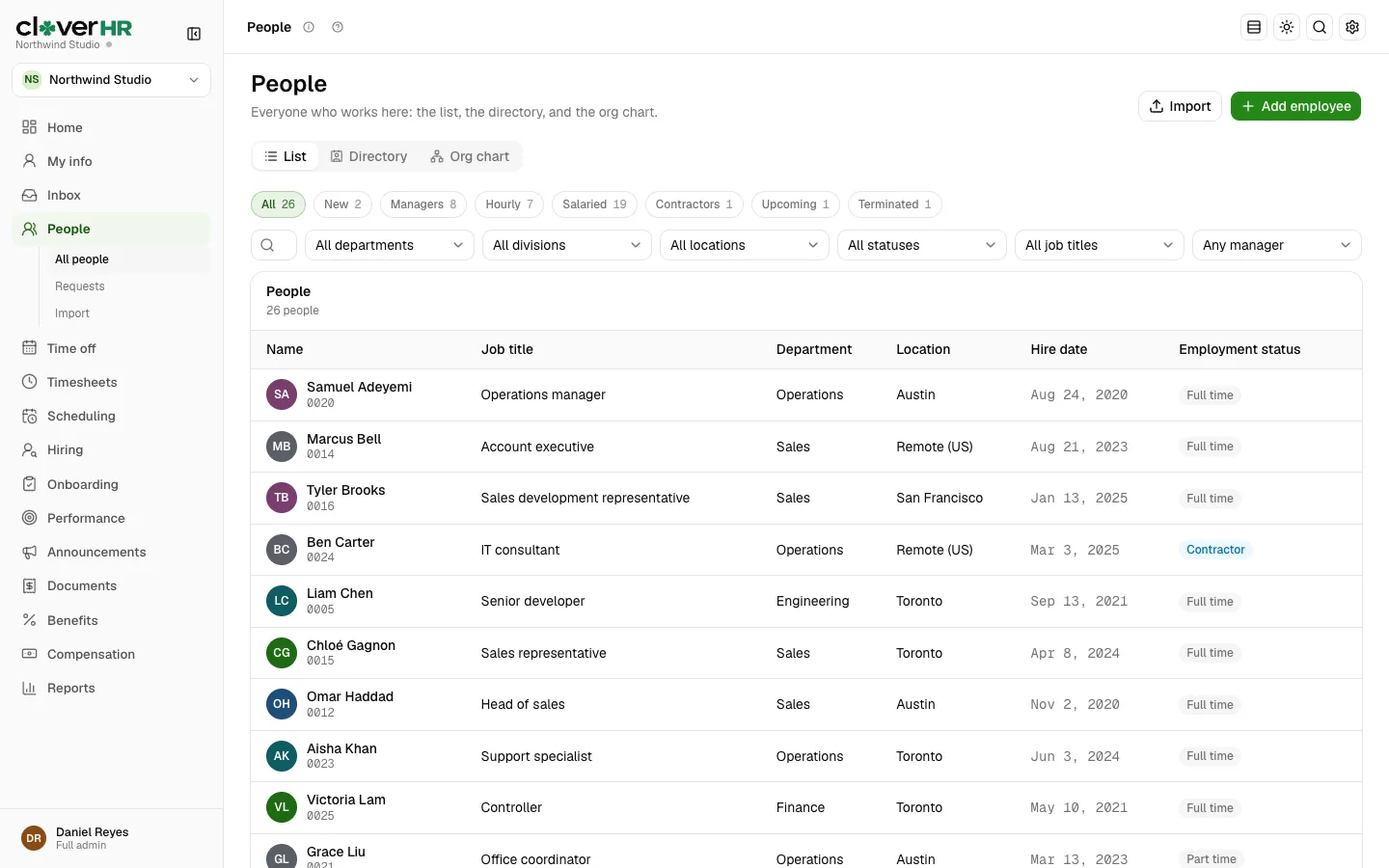
Find anyone in the directory, open their profile, and change a field in place. Every change is kept with who made it and when, and job, status and pay changes take effect on the date you choose.
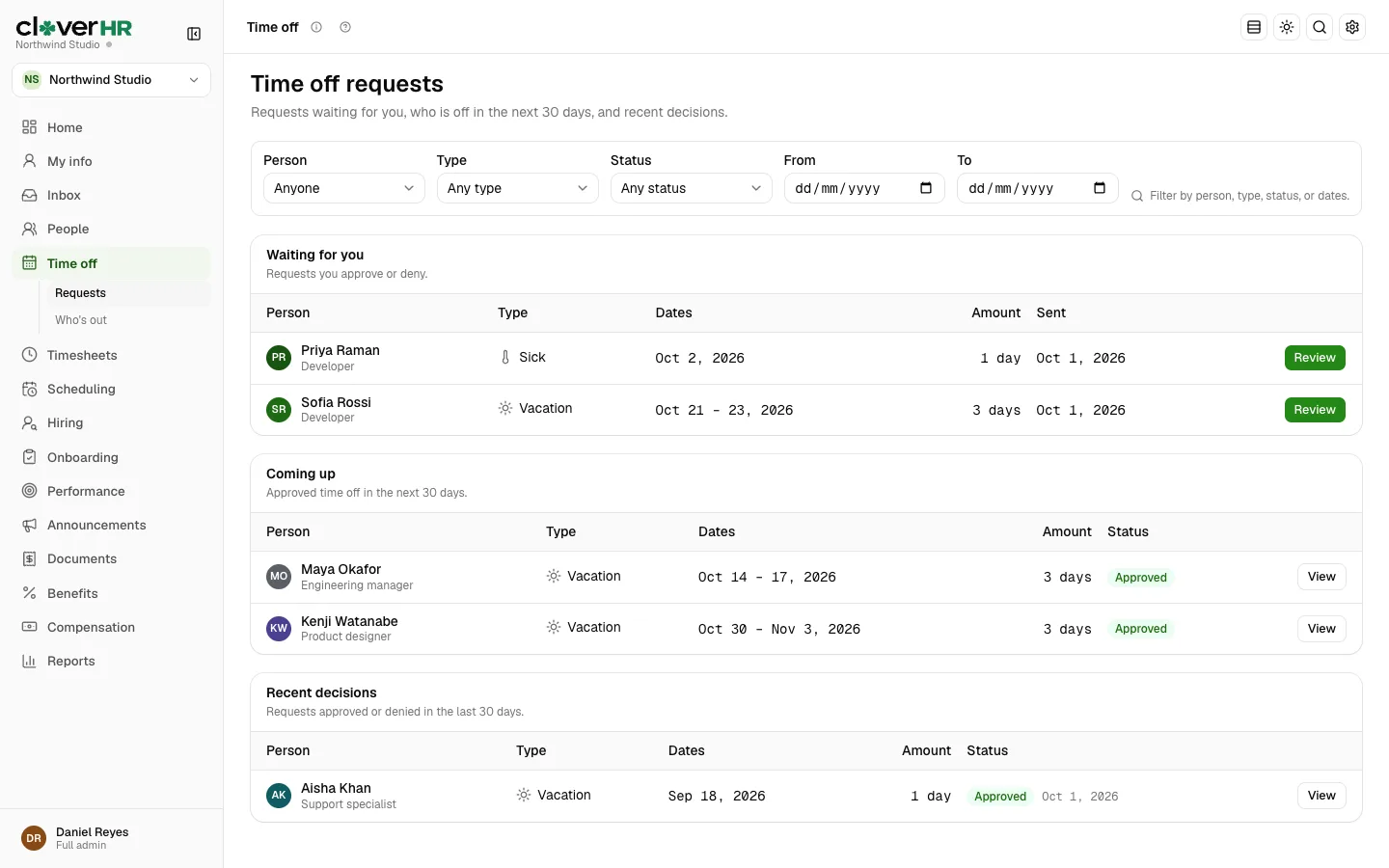
Set policies once and balances accrue on their own. People request time off from their phone; managers see the balance and who else is out before they approve.
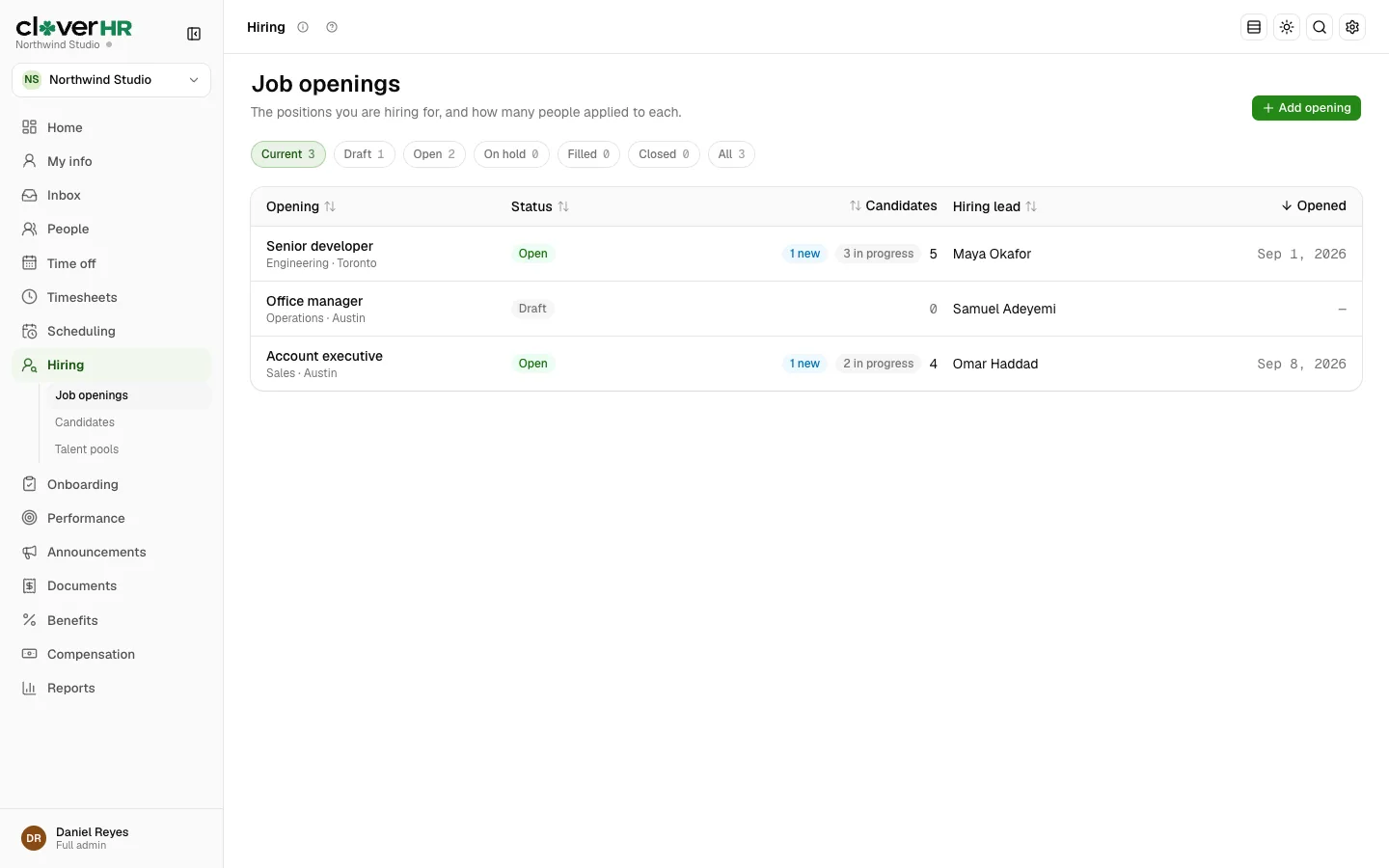
Post an opening to your careers page and job boards, move candidates through each stage, schedule interviews, and send an offer to sign. A hired candidate becomes an employee with their details already filled in.
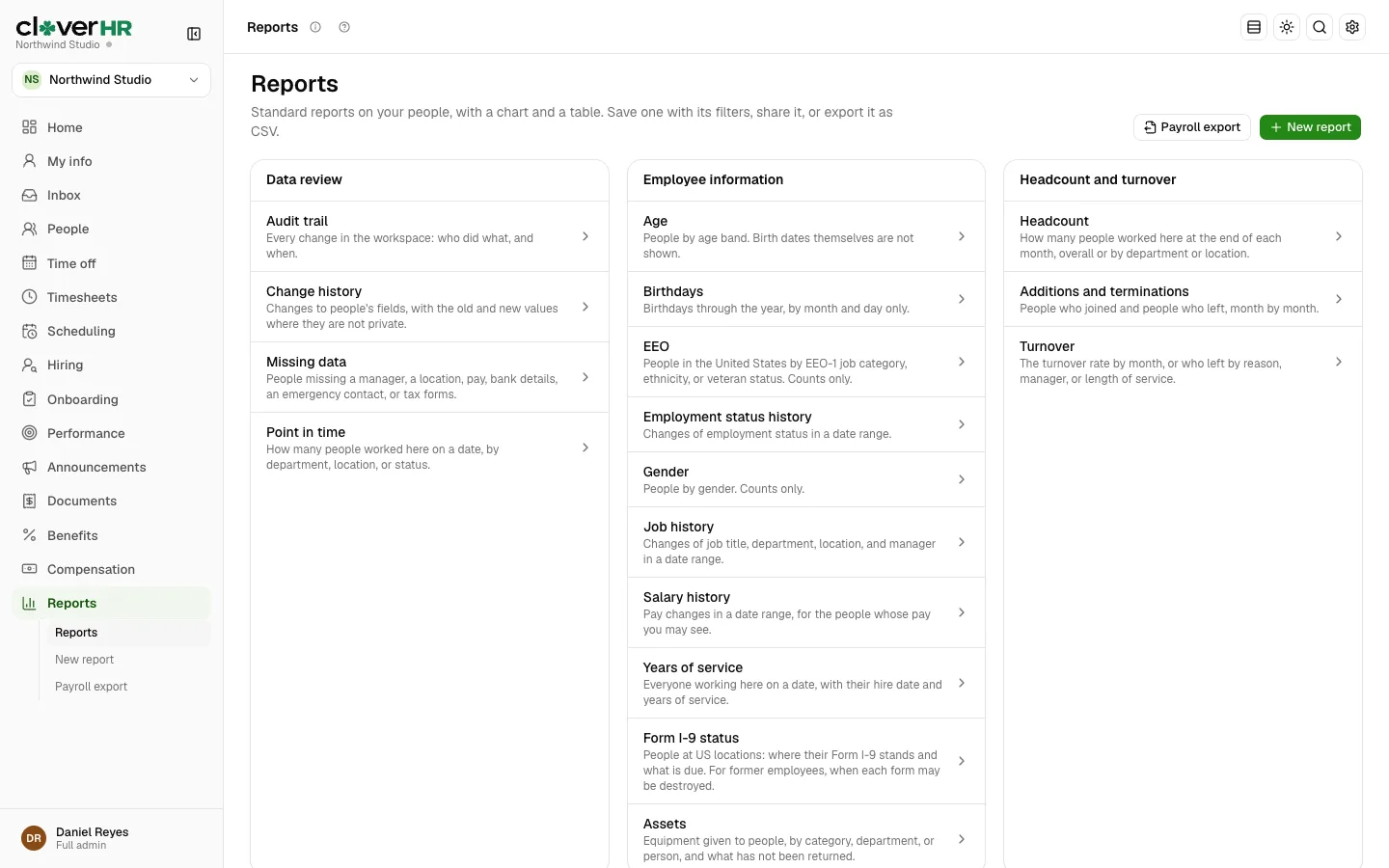
Start from a standard report or build your own from any field you are allowed to see. Save it, share it, or export it to a spreadsheet or PDF.
An employee who manages no one sees only their own profile, My info, with no menus to learn. They request time off, clock in, sign documents and update their details from their phone.
Each location carries a country and a state or province. That one setting drives the rules people work under, so you do not have to look them up.
Statutory and common holidays for each state and province, with holiday lists you can aim at locations, departments, divisions or job titles.
Daily and weekly overtime, double time where it applies, such as California, and meal and rest break rules, each with its source.
Form I-9 sections and deadlines, W-4 and TD1 forms, and Social Security and Social Insurance numbers kept encrypted.
Money is kept to the cent in US or Canadian dollars, with exchange rates for reports that span both countries.
The whole app, its emails and its help pages come in both languages. Each person picks theirs, or follows the company's.
Legal entities with their own employer numbers, pay schedules and pay groups, for teams that hire on both sides of the border.
StackBlaze hosts CloverHR for you from its template: the app, a Postgres database, email and a secure address. There is nothing to install and nothing to fill in first.
Sign in to StackBlaze, or create a free account, and deploy the CloverHR template.
It creates the app and its database, generates the secret keys, and runs the database setup on first start.
Open your app's address. A setup wizard asks for your name, email and password, and offers two-step sign-in.
StackBlaze's free plan is for trying things out: its services sleep after 15 minutes without visits and wake on the next one. For everyday use, pick a paid StackBlaze plan so CloverHR stays on and its reminders and accruals run on time.
CloverHR is published by StackBlaze Inc. under the Business Source License 1.1. The source code is open to read, and most teams pay nothing for the software.
| Who you are | What you may do |
|---|---|
| Total finances under US $5M a year | Use CloverHR in production at no cost. |
| Anyone, any size | Develop, test, evaluate and learn with it at no cost. |
| Hosting it for clients | Free when each client is under the limit. A hosted service for larger clients needs a commercial licence. |
| At or above US $5M | Ask StackBlaze Inc. for a commercial licence. |
| Four years after a release | That version becomes available under the GNU General Public License, version 3. |
"Total finances" is the largest of your revenue, budget or funding in the last 12 months, counting affiliates. The licence text has the exact terms.
Yes, for organizations whose total finances (revenue, budget or funding) were under US $5 million in the last 12 months. Testing and evaluation are free for everyone. Larger organizations, and hosting providers serving them, need a commercial licence from StackBlaze Inc.
Click Deploy free on StackBlaze. StackBlaze creates the app and its Postgres database from the CloverHR template. Open the app's address and a setup wizard creates your owner account. There is nothing to configure beforehand.
No. CloverHR keeps pay, hours, time off and benefit deductions, and exports them for the payroll or accounting software you already use. Pay runs stay in that software.
Yes. Locations carry a country and a state or province, which drive holidays, overtime and break rules, ID numbers and tax forms. Money is kept in USD or CAD, and every person can use the app in English or Canadian French.
On your own deployment: your CloverHR app and your own Postgres database. Bank and identity numbers are encrypted, and private fields such as pay are shown only to HR and the person they belong to.
CloverHR is source-available under the Business Source License 1.1. The full source code is on GitHub. Each version becomes available under the GNU General Public License, version 3, four years after it is first published.
Yes. CloverHR is published as a Docker image and runs on any server with Postgres 16. StackBlaze is the quickest way to start because it sets up the app, its database and email for you.
Yes. Every page has a real phone layout. Employees request time off, clock in, sign documents and update their details from their phone.
Yes. You can import people, opening time off balances and hours from CSV files, and connect other software through the API and webhooks.
Deploy CloverHR on StackBlaze in one click and invite your team in minutes.